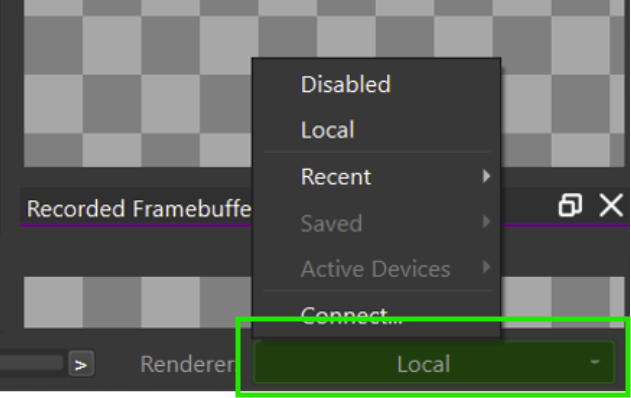
Hi we are trying to open the .pvrcbn recorded file using PVRCARBON. The tool is getting crashed and player is stopped.
Opening File ‘C:/Users/brajan1/Downloads/mainHmi.pvrcbn’
Started playback…
File loading has finished (0 errors, 0 warnings)
Playing back frame 0
Host EGL Library ‘C:\Program Files\Imgtec\PowerVR_Tools\PVRCarbon\GUI\Windows_x86_64\PVRVFrame\libEGL.dll’ loaded successfully
Warning: Failed to find a valid platform extension for window system win32. Falling back to eglGetDisplay for playback of call 1 (eglGetPlatformDisplayEXT)
PVRCarbon v0.14 (25.1@fb418706582c)
EXCEPTION_ACCESS_VIOLATION caught
backtrace:
#00 (unknown) C:\WINDOWS\System32\DriverStore\FileRepository\nvdmwi.inf_amd64_91824c0f6213a0ac\nvoglv64.dll 00007FFC9C4E3EBC
#01 DrvValidateVersion C:\WINDOWS\System32\DriverStore\FileRepository\nvdmwi.inf_amd64_91824c0f6213a0ac\nvoglv64.dll 00007FFC9C750C0D
#02 eglWaitSync C:\Program Files\Imgtec\PowerVR_Tools\PVRCarbon\GUI\Windows_x86_64\PVRVFrame\libEGL.dll 00007FFC9B98920B
#03 eglWaitSync C:\Program Files\Imgtec\PowerVR_Tools\PVRCarbon\GUI\Windows_x86_64\PVRVFrame\libEGL.dll 00007FFC9B9739F0
#04 eglWaitSync C:\Program Files\Imgtec\PowerVR_Tools\PVRCarbon\GUI\Windows_x86_64\PVRVFrame\libEGL.dll 00007FFC9B9733C6
#05 eglWaitSync C:\Program Files\Imgtec\PowerVR_Tools\PVRCarbon\GUI\Windows_x86_64\PVRVFrame\libEGL.dll 00007FFC9B973531
#06 eglGetDisplay C:\Program Files\Imgtec\PowerVR_Tools\PVRCarbon\GUI\Windows_x86_64\PVRVFrame\libEGL.dll 00007FFC9B959E52
#07 (unknown) C:\Users\brajan1\AppData\Local\Temp\PVRCarbonPayload\0\player\PVRCarbonPlayerServer.exe 00007FF6B0C7AD07
#08 (unknown) C:\Users\brajan1\AppData\Local\Temp\PVRCarbonPayload\0\player\PVRCarbonPlayerServer.exe 00007FF6B0C7CAB3
#09 (unknown) C:\Users\brajan1\AppData\Local\Temp\PVRCarbonPayload\0\player\PVRCarbonPlayerServer.exe 00007FF6B0DB7E04
#10 (unknown) C:\Users\brajan1\AppData\Local\Temp\PVRCarbonPayload\0\player\PVRCarbonPlayerServer.exe 00007FF6B0CC91F1
#11 (unknown) C:\Users\brajan1\AppData\Local\Temp\PVRCarbonPayload\0\player\PVRCarbonPlayerServer.exe 00007FF6B1462A9A
#12 (unknown) C:\Users\brajan1\AppData\Local\Temp\PVRCarbonPayload\0\player\PVRCarbonPlayerServer.exe 00007FF6B1646BBF
#13 recalloc C:\WINDOWS\System32\ucrtbase.dll 00007FFD968A9333
#14 BaseThreadInitThunk C:\WINDOWS\System32\KERNEL32.DLL 00007FFD977F259D
#15 RtlUserThreadStart C:\WINDOWS\SYSTEM32\ntdll.dll 00007FFD992AAF78
Error: Playback failed: Failed to read message header (‘WSAECONNRESET: Connection reset by peer’)
Elapsed time 0h 0m 7s 502ms
please check and do the needful
for some users it is working. for some users it is not working.